
Prefer to watch? This chapter goes with Episode 14 (5:55). Open it on YouTube.
gh, GitHub's own command-line tool. To check, run gh --version in PowerShell or Terminal. If it is missing, install gh from its official site. Then sign in once with gh auth login. You do this yourself: Claude never types your password.Share some tasks, not all
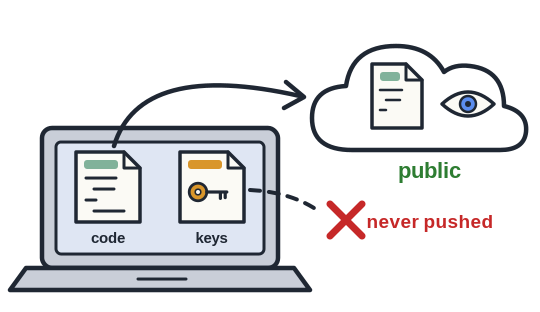
A colleague on another team needs to see how their project is going. Their tasks sit in DevPulse, next to all of yours. A screenshot is out of date by tomorrow; a link is not.
How do you give your colleague one link that shows just their tasks?
Build a page of public tasks
The public part is one plain web page. A small script, publish.py, keeps only the tasks tagged public and writes the page into a folder called docs. Your tasks file plays the part of the API keys:
| File | Goes public? | What it is |
|---|---|---|
docs/index.html | Yes | The page your colleague opens |
publish.py | Yes | The script that builds the page |
.gitignore | Yes | The list of what Git leaves out |
The rest of DevPulse: server.py, index.html, the tests, .claude/ | Yes | The code from chapters 1 to 13 |
data/tasks.json | Never | All your tasks. Git ignores it, so it is never uploaded |
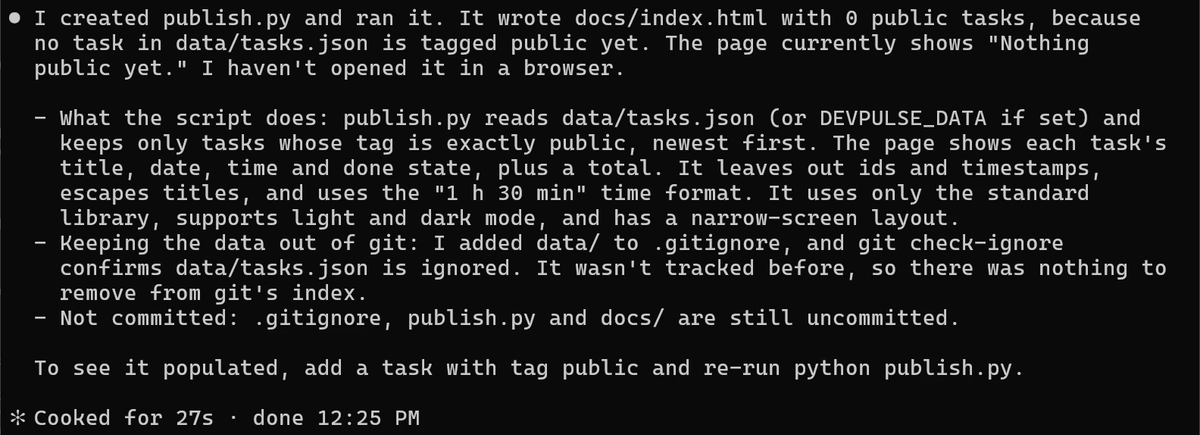
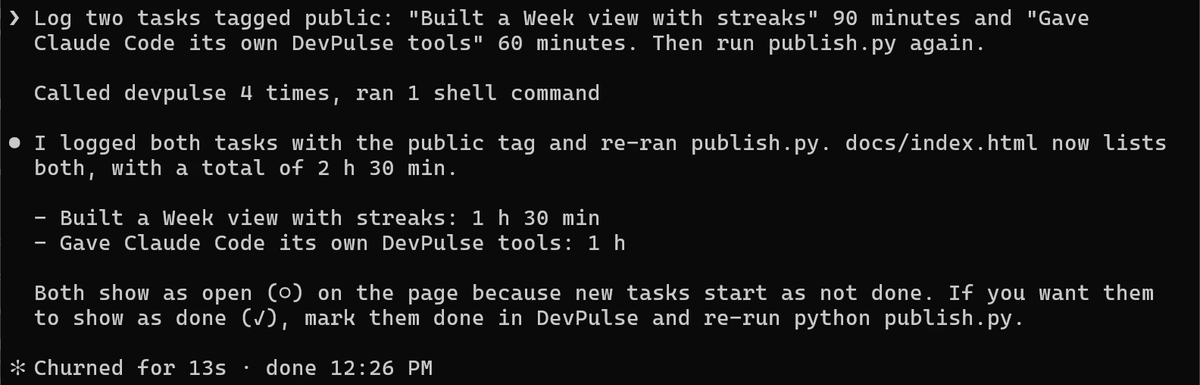
data/ is now in .gitignore, and Git confirms the tasks file is ignored.The page stays empty until a task is tagged public. Log two, with your own DevPulse tools from chapter 11.
Open the page on your laptop
In your devpulse project, open the docs folder and double-click index.html: File Explorer on Windows, Finder on a Mac.
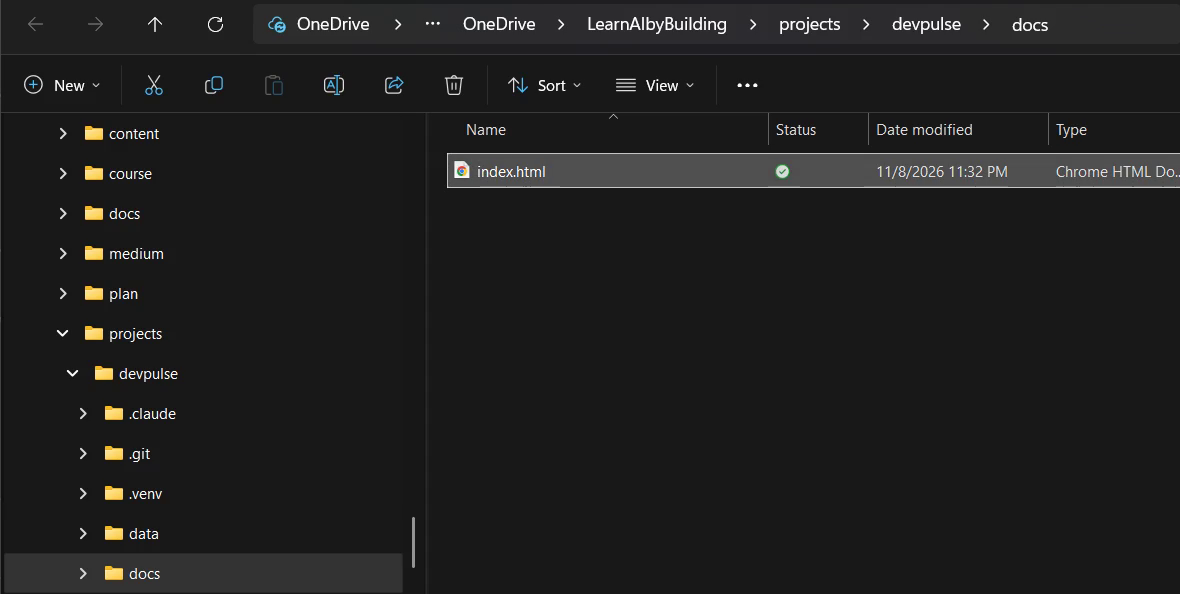
docs folder holds one file, index.html.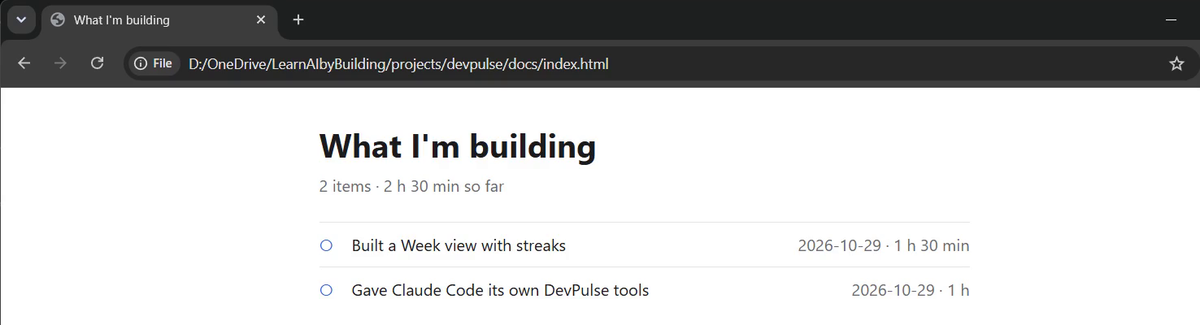
Or open it from Claude Code:
Commit it
Use the commit command, /commit-commands:commit.
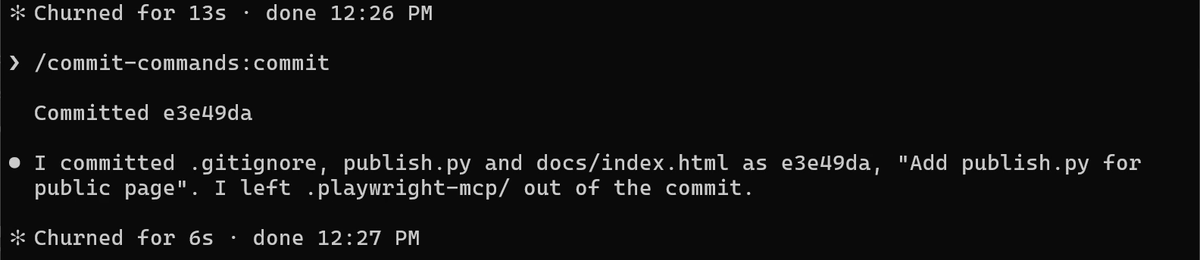
.gitignore. Your tasks file is not one of them.Put the project on GitHub
GitHub keeps an online copy of your project, called a repository, and it can serve one folder of it as a website, for free. Claude works with GitHub through gh.
Set up gh yourself, once
Install gh and sign in to your own GitHub account in your second tab. Claude never types your password.
gh auth login asks a few questions. Pick GitHub.com, then "Login with a web browser", and follow the code it shows. Then go back to Claude Code.
Create the repository and push
What Claude did, in order:
- Checked that
data/is ignored and nothing in it is tracked, before creating anything. - Created the repository and pushed.
- Counted the
data/files that reached GitHub: none.
Yours will be under your own GitHub name.
"Public" means anyone can read every file in the repository. That is why data/ had to be in .gitignore first. Once a file is pushed, deleting it later does not remove it from Git's history.
Turn the docs folder into a website
GitHub Pages serves one folder of your repository as a website. The page went into docs/ for exactly this.
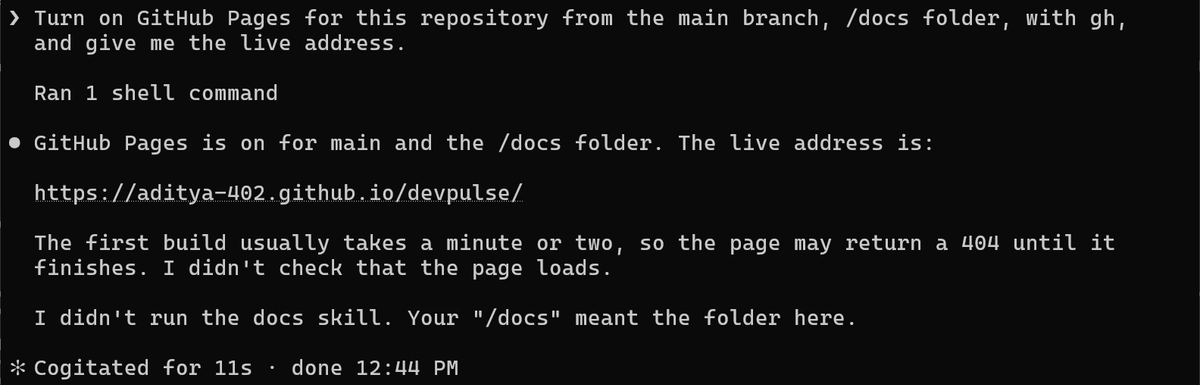
Your address has the same shape: your-github-name.github.io/devpulse.
Check what went public
Anyone can read a page on the internet. Before you share the link, give the first build a minute or two. Then ask Claude to prove two things: the page is up, and nothing private is on it.
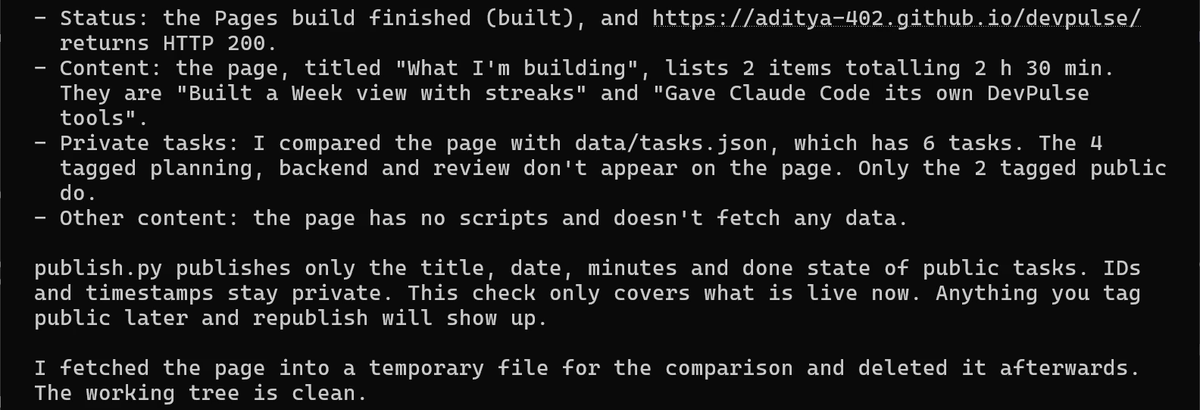
Then type the live address into your browser.
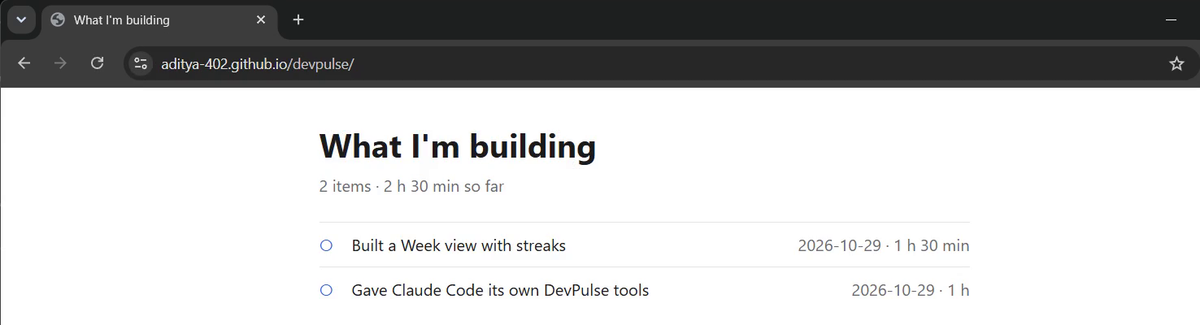
- The tasks file is still ignored:
git check-ignore data/tasks.jsonprints its name. - The commit holds only the files you meant to publish.
- After the push, run the check prompt above: the page is up, and no private task is on it.
To add a task later: tag it public, run python publish.py (Mac: python3), commit, and push. GitHub rebuilds the page.
What it costs
| Cost | How much |
|---|---|
| Money | Nothing: GitHub Pages is free for public repositories |
| Care | Every push to a public repository is public, so the check runs after every push |
Next chapter: Claude Code beyond the terminal, in VS Code, the desktop app and Claude Code on the web.
The takeaway
- Keep private data out of Git before the first push:
.gitignorefirst, then the repository. - Publish a page built from what you choose, never the data file itself.
- Don't stop at "published": ask Claude to show what went public, and what stayed private.
Quick reference
The prompts from this chapter, ready to copy: every prompt, chapter 14.
| Command or key | What it does | Use it when |
|---|---|---|
Create publish.py that builds docs/index.html … | Writes a script that turns public tasks into one static page | You want to share some of your data, not all of it |
data/ in .gitignore | Keeps your private task file out of every commit | Before anything goes to GitHub |
gh auth login | Signs the GitHub CLI in to your own account | Once, before Claude creates a repository for you |
Create a public GitHub repository … with gh | Creates the repository and pushes your project | The project is ready to leave your laptop |
Turn on GitHub Pages … /docs folder | Serves docs/ as a website | You want a live address to share |
Check that the live page is up and shows no private tasks. | Fetches the live page and compares it with your data | Every time something goes public |
Make your page show finished work
The goal: the live page shows both tasks as done.
The steps: ask Claude to mark both public tasks done and run publish.py again. Commit and push. Wait a minute, then run the check prompt again.
Guess first: will the live page change the moment you push, or later?
One question for you: who would you send your link to, and which tasks would you leave out? Mine: my colleague gets one link, with these 2 tasks. The other 4 stay on my laptop.
References
Where each command and setting on this page comes from. The Claude Code screenshots are from our own recording on 29 Oct 2026, Claude Code 2.1.312; the folder and browser pictures are from 12 Nov 2026.
- GitHub · GitHub CLI manual gh auth login, gh repo create, and gh api for repository settings. https://cli.github.com/manual/
- GitHub · Configuring a publishing source for your GitHub Pages site Publishing from the main branch and the /docs folder; the first build can take a few minutes. https://docs.github.com/en/pages/getting-started-with-github-pages/configuring-a-publishing-source-for-your-github-pages-site
- Git · gitignore How a .gitignore line keeps a folder out of every commit. https://git-scm.com/docs/gitignore
- My own recording · 29 Oct 2026, Windows 11 The repository, Pages and the live check took under five minutes; the page showed 2 public tasks and none of the 4 private ones.
New chapters and episodes come out every week. Follow along on YouTube or the WhatsApp channel. Questions? Ask under the video on YouTube; I read every comment.