
Prefer to watch? This chapter goes with Episode 10 (5:41). Open it on YouTube.
node --version in PowerShell or Terminal. If it is missing, download Node.js from its official site.Claude has never seen your page
Most people will open a page like DevPulse on a phone. Does it look right there?
Claude wrote most of that page. But it only ever read the code. It has never opened the page, and it has never seen it 390 px wide.
Think of a tailor who stitches a shirt exactly to your measurements. Every number is right on paper, but only when you try it on do you see that one sleeve hangs too long. Claude has only had our measurements: the code. It has never had a fitting.
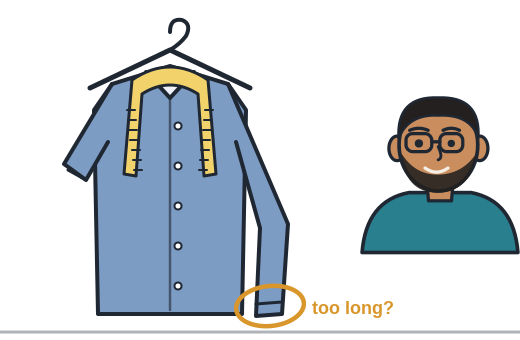
How does Claude Code see your app, the way you see it on a phone?
Give Claude a browser
Playwright is a free tool that drives a real web browser the way a person would: it opens a page, clicks, resizes the window and takes screenshots. Developers use it to test their web apps.
Claude Code reaches tools like this through MCP servers. MCP is an open standard: one server, many tools. Playwright's server gives Claude that browser.
Nothing else to install beyond Node.js: Playwright's server downloads itself the first time it starts, and it opens the Chrome you already have.
Add it from your terminal, not inside Claude.
The same two lines work in PowerShell and in the Mac Terminal. On Windows we did not need cmd /c in front.

-- is the command that starts the server. list starts it once to check: Connected.Now start claude and type /mcp.

Let Claude look at the page
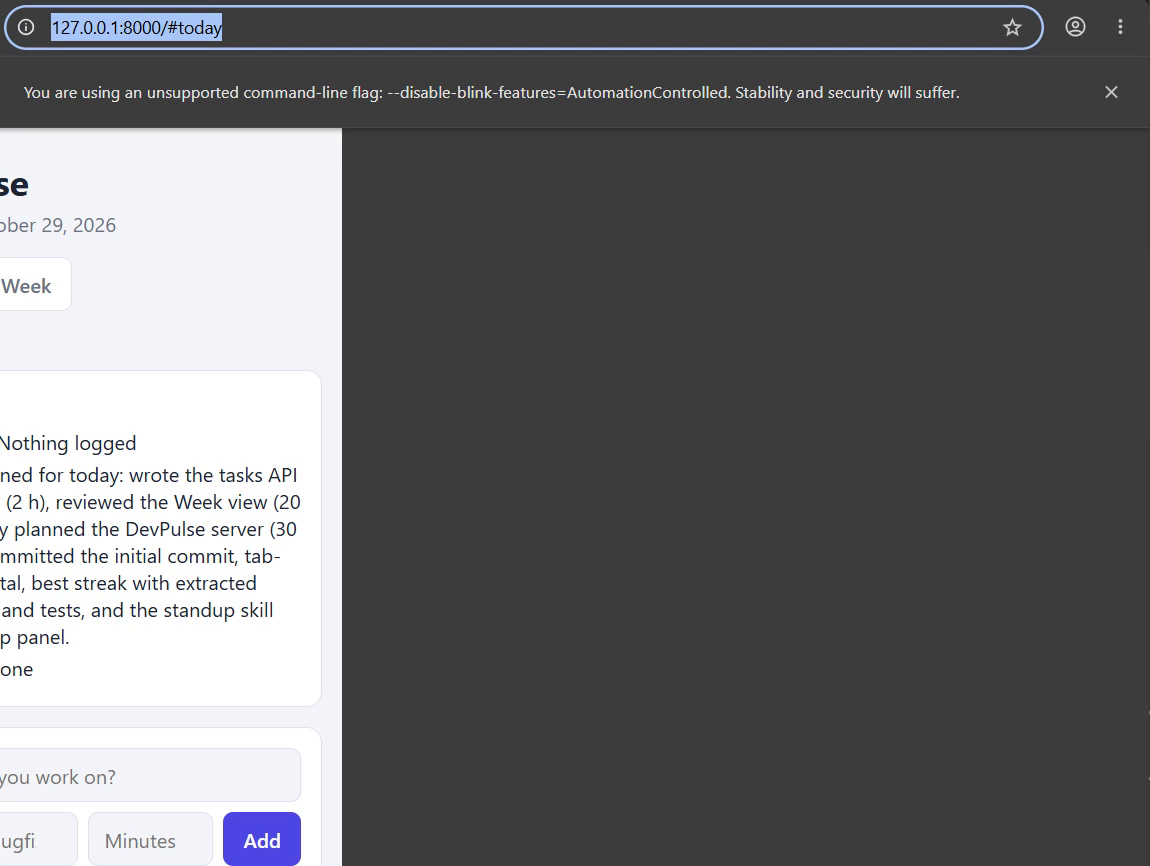
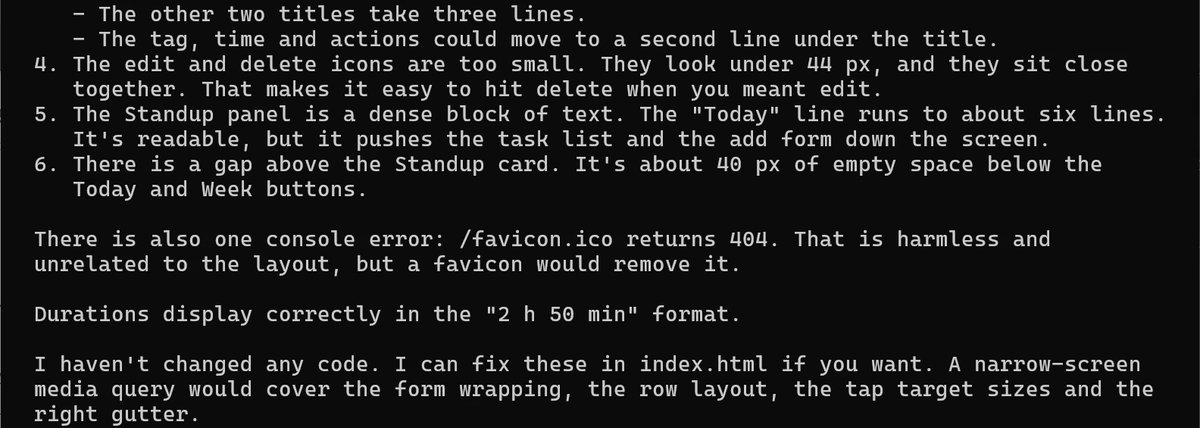
That was the fitting. These are things you notice by looking at the page, not by reading its code.
Fix it, then look again
Ask Claude to fix them with a media query: CSS rules that apply only on narrow screens. Then it should look again at 390 px.
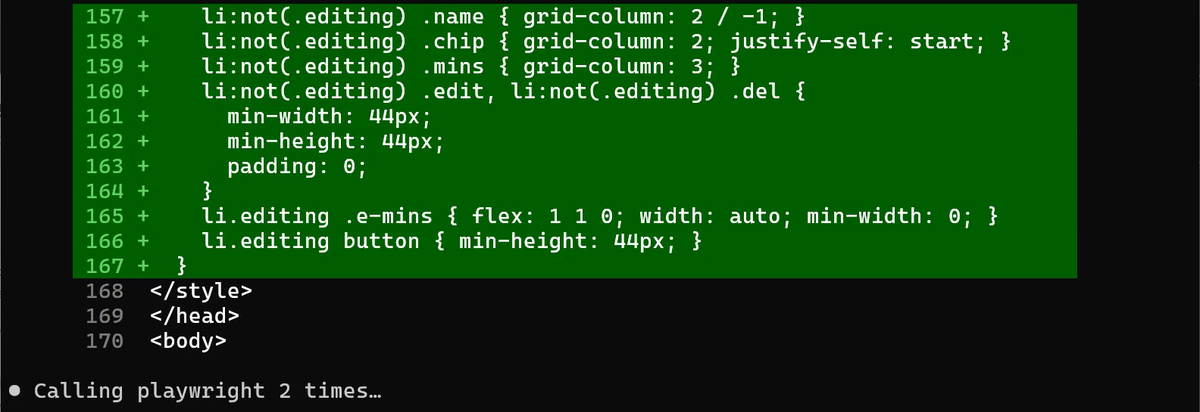
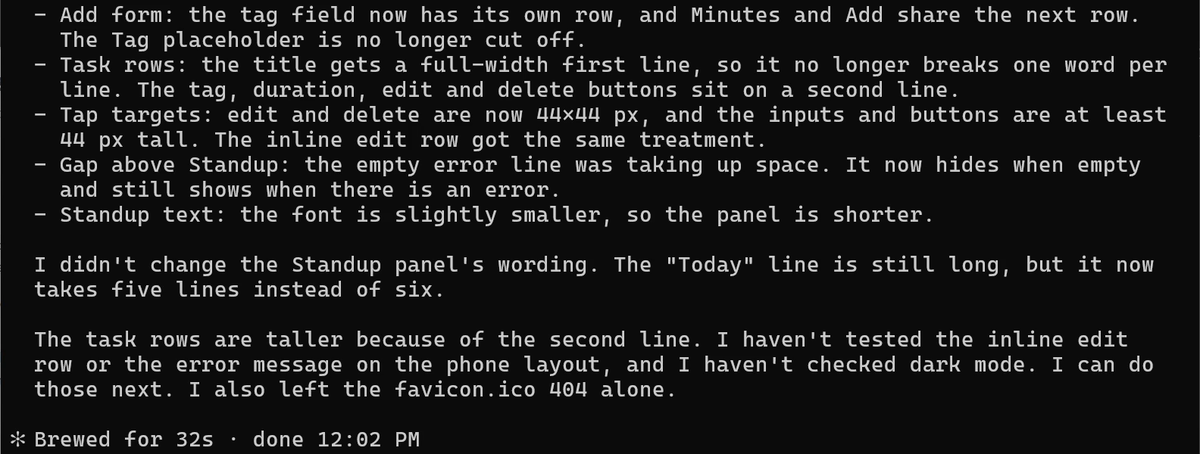
Now see it yourself. Narrow your own browser window.
/commit-commands:commit.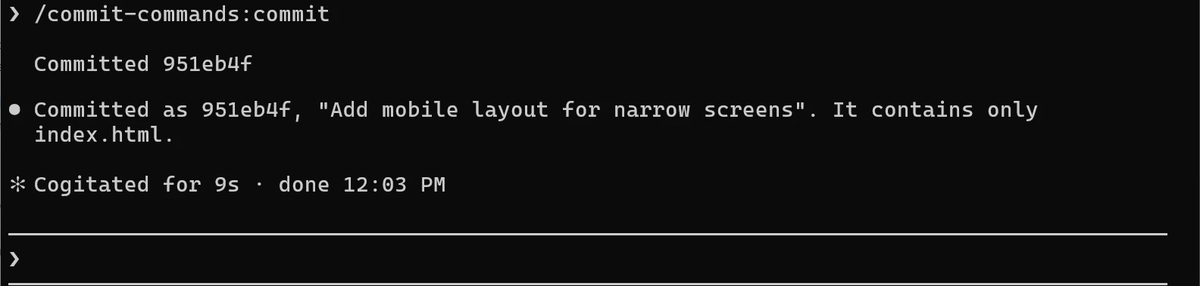
A second server: the docs
Some servers are not programs on your computer. They live on the web. Anthropic runs one for the Claude Code docs. Exit Claude with /exit first.

Start claude again and ask it about that.
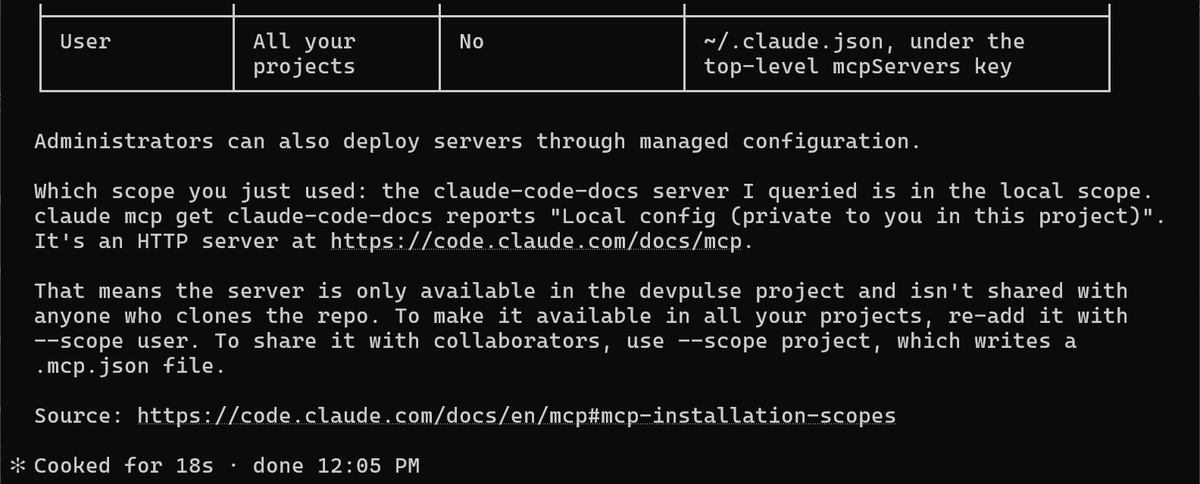
| Scope | Who gets the server | How to add it |
|---|---|---|
| Local | You, in this project only | The default |
| Project | Everyone who clones the repo, through .mcp.json | --scope project |
| User | You, in all your projects | --scope user |
An MCP server runs with your permissions. Add only servers you trust, the same way you would install a program.
What a server costs
Every connected server adds its tool list to Claude's context. Playwright alone has 25 tools. Keep the servers you use, and remove the rest with claude mcp remove name.
These servers were built by others. But logging a task still means leaving the terminal and opening the app. In chapter 11, DevPulse gets tools of its own, so Claude can log our work for us.
Quick reference
The prompts from this chapter, ready to copy: every prompt, chapter 10.
| Command or key | What it does | Use it when |
|---|---|---|
claude mcp add name -- command | Adds a server that runs on your computer (stdio) | The tool is a program you can start, like Playwright |
claude mcp add --transport http name url | Adds a server that lives on the web | The tool has a web address, like the docs server |
claude mcp list | Lists your servers and whether they connect | You want to check a server works |
/mcp | Shows the servers inside Claude Code, with their tools | You want to see what Claude can use right now |
Use the playwright tools to … | Claude opens a real browser and looks | You want Claude to see the page, not just the code |
--scope user / --scope project | Makes a server yours everywhere, or shared with the repo | Local scope is too narrow |
Let Claude look at a page of your own
The goal: Claude checks a page by seeing it, not by reading it.
The steps: add Playwright to one of your own projects. Ask Claude: Use the playwright tools to open … at 390 px and tell me what looks wrong.
Guess first: before you send it, write down one problem you expect Claude to find. Did it find it?
Then: ask it to fix one problem and look again.
One question for you: which outside tool would you most like Claude to use in your own work?
References
Where each command on this page comes from. Every screenshot is from our own recording on 29 Oct 2026, Claude Code 2.1.312.
- Anthropic · Connect Claude Code to tools via MCP claude mcp add, list and get; stdio and HTTP servers; the local, project and user scopes; /mcp. https://code.claude.com/docs/en/mcp
- Microsoft · Playwright MCP The browser server we added: open a page, resize it, take a screenshot. https://github.com/microsoft/playwright-mcp
- Model Context Protocol · Introduction What MCP is: one open way for an AI app to talk to tools and data. https://modelcontextprotocol.io/introduction
- My own recording · 29 Oct 2026, Windows 11 Claude found 6 phone problems in 19 seconds, fixed them in 32, and the docs server named the scope we used.
New chapters and episodes come out every week. Follow along on YouTube or the WhatsApp channel. Questions? Ask under the video on YouTube; I read every comment.